Access your EOFY Trading Statement, review your portfolio performance and prepare for the end of financial year with tools from CMC and Sharesight.
Discover the Sharesight Tax Pack with CMC Invest
The Sharesight Tax Pack provides reports for taxable income, capital gains tax and trading activity, helping simplify tax time. Eligible CMC Invest clients receive 25% off their first Tax Pack^ when they subscribe through their CMC Invest account.
To get started: Log in to the CMC Invest web platform and go to Account > Tax & Portfolio Reporting to access Sharesight. Eligible clients who access Sharesight through CMC Invest will see the discount applied automatically when they select the Tax Pack.
^Discount applies to eligible clients subscribing to Sharesight Basic, Tax Pack or both plans during the Offer Period through the CMC Invest platform. Clients with existing paid Sharesight subscriptions at the time of sign-up are not eligible for this offer. Tax Pack renewals are billed at the standard annual Tax Pack price of $59. Full T&Cs available on Sharesight’s website.

Your EOFY Trading Statement
Your EOFY Trading Statement provides a summary of your trading activity for the financial year, bringing together key information from your CMC Invest account to support your EOFY review and reporting.
What your EOFY Trading Statement includes:
A summary of your trading activity for the financial year
Buy and sell trades, including dates and execution prices
A snapshot of your holdings as at 30 June
Details of any international dividends received

How to access your EOFY Trading Statement
1. Log in to your web platform
2. Navigate to Account > Statements > EOFY Trading Statement
3. Select the relevant financial year report
While the EOFY Trading Statement is a helpful resource, we can’t guarantee its accuracy or completeness. Please review the details carefully and consult a qualified accountant for tax filing purposes.

Sharesight Portfolio Manager
We've partnered with Sharesight for portfolio tracking and performance analysis, giving you a clearer view of your returns and overall investment performance.
Sync your trades and they will automatically flow into Sharesight, giving you an easy way to access portfolio reporting.
You'll be able to track up to 10 holdings on a complimentary free plan, with the option to upgrade to a more comprehensive paid plan.*

Sharesight performance
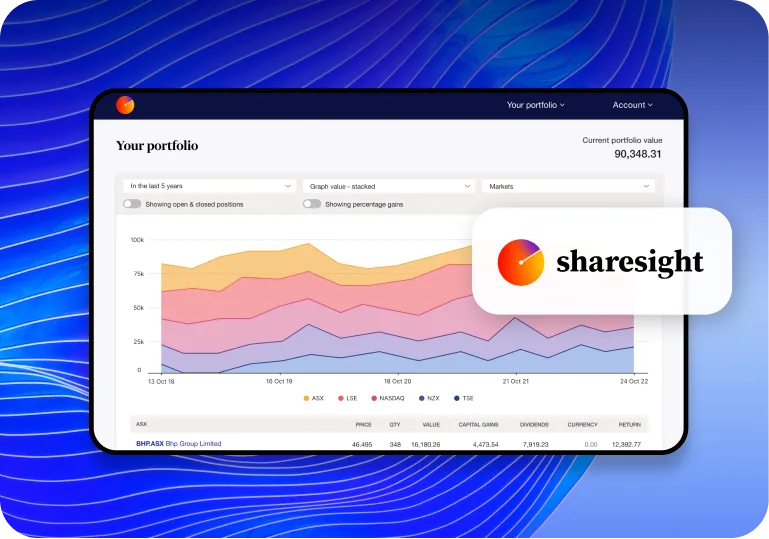
Sharesight can track the performance of your overall portfolio and individual holdings, all in one place.
Capital gains, dividends, and currency movements are all shown in dollars and annualised percentages.*
Get all the information you need for comprehensive performance analysis in one integrated view.
To link Sharesight with your Invest account, simply log into the web platform and go to ‘Account’ > ‘Tax Portfolio & Reporting'.

*Note
Features and functionality may be updated or modified by Sharesight without prior notice. Some advanced functions, such as tax reporting, may incur charges. Please refer to Sharesight’s website for details.
The latest market news, curated for you
- BudgetingInvest BudgetingLearn More
Budgeting isn't just about knowing where your money is going and coming from. No matter what your skill level is, budgeting can be a very helpful way to build your portfolio, and it can even lay the groundwork for a long and fruitful investing career.
- Goal SettingDefining GoalsLearn More
Everyone wants their investment journey to be successful. Defining your goals can be a helpful way to understand what your approach could be.
- FundamentalsAnalysing Investment PerformanceLearn More
When you’re working towards a goal, it's always important to stop and assess your progress. Analysing the performance of your investments is crucial in order to ensure you're on the right track to reach your goals.
Start trading
1
2
3