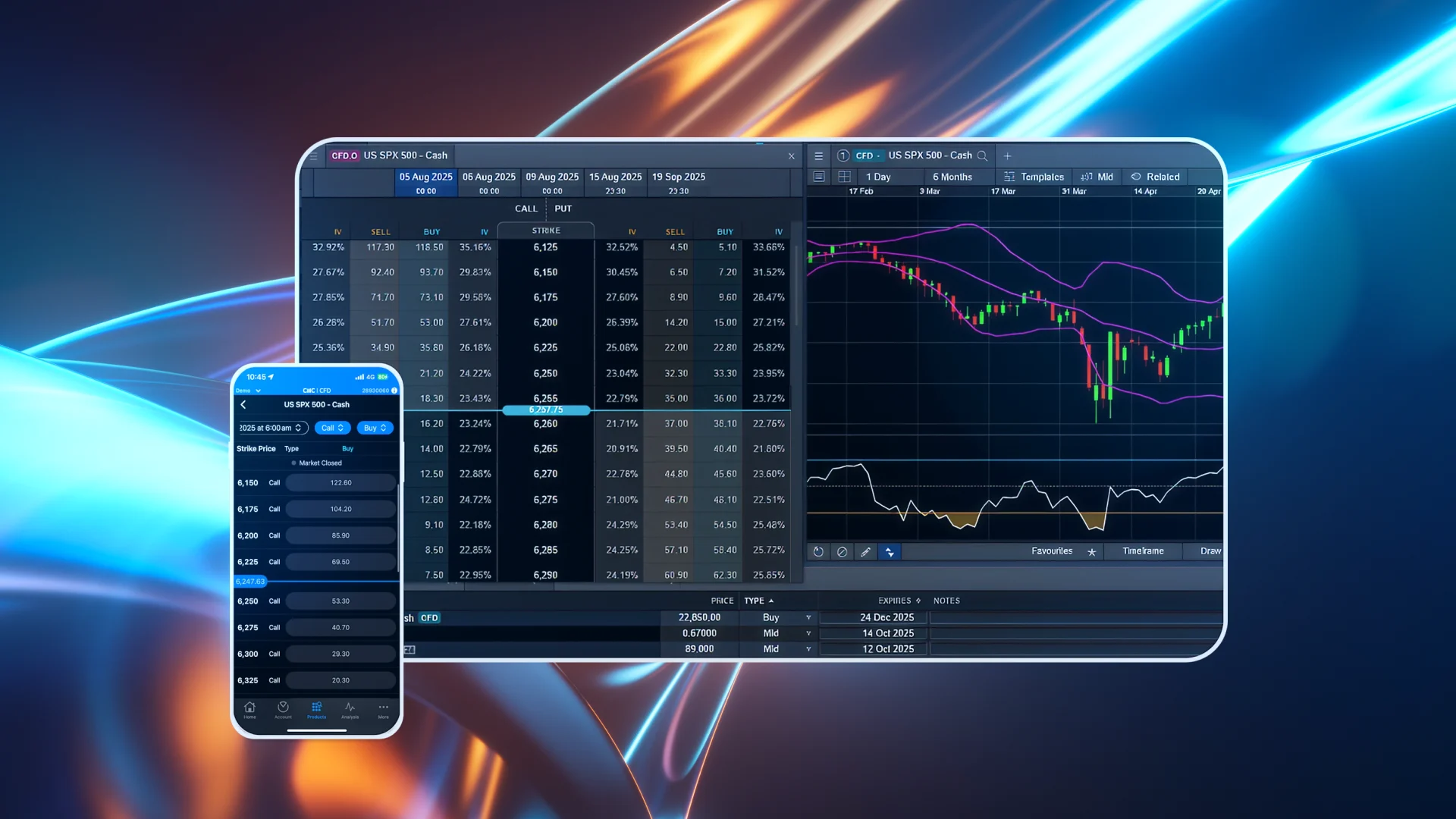
How Do I Trade Option CFDs with CMC Markets?
You can trade over-the-counter (OTC) option CFDs from a CFD trading account with us. In this guide, we’ll help you get familiar with our web-based trading platform and the steps you need to take to get started.
Learn how to locate options on our platform, view available contracts via the options chain, open an order ticket, choose your preferred order types, and manage your open options positions.
Where Can I Find Options?
Once you've opened a CFD trading account with us, go to our trading platform or app and navigate to the 'Products' tab. There you’ll find options CFD alongside instruments like indices, forex, shares, and more.
Trade options across 50+ leading global markets, including:
Indices:
ASX200, US SPX 500 , Japan 225, France 40, Germany 40, UK 100, US NDAQ 100, US Small Cap 2000, Volatility Index
Shares:
Alphabet, SpaceX, Amazon, Apple, Meta Platforms, Nvidia, Microsoft, Tesla, SpaceX
European & American Style Options
Option CFDs on the CMC platform resemble European-style options, in that they are cash settled on the expiration date, at the expiration time. This is in contrast to American-style options, which are exercisable on any date until expiration.
When you trade Option CFDs with us, you can still close, or ‘unwind’, your position before the expiration date by trading in the opposite direction to your original position. For example, if you buy a call option and wish to unwind that position early, you can either close the option trade from the ‘Positions’ tab on your account, or you can sell a call on the same instrument. The profit or loss will depend on how the price of the option has changed compared to when you entered the options trade.
The Options Chain
The options chain displays all available options contracts for a selected underlying instrument.
When you select an options product, a detailed window appears showing available call and put prices across a range of expiry periods and strike prices. These expiry periods may include specific intraday times.
The current underlying price is shown in the centre. Contracts are arranged by strike price:
Above the line: In-the-money (ITM) calls and out-of-the-money (OTM) puts
Below the line: OTM calls and ITM puts
You can also toggle between available expiration dates at the top of the chain. The IV (implied volatility) columns show current bid and ask IVs for each contract.
How Do I Open an Order Ticket?
Choose a Buy or Sell price for a call or put option at your desired strike price to launch the order ticket.
Before placing your order:
Select your trade size under “Contracts”
We offer fractional contracts (as low as 0.01)
Larger trades require more margin and magnify profit/loss
You can customise:
Expiry date
Order type
Option type (Call/Put)
Strike price
Additional insights include:
Estimated margin
Cost/spread breakdown
Greeks (Delta, Gamma, Theta, Vega)
Note: Implied volatility and Greeks are indicative only and updated regularly but not guaranteed to be accurate.
For more details on each instrument, click the three-bar icon in the top-left of the order ticket and select 'Product Overview'.
All Options CFD orders are executed as Immediate or Cancel (IOC):
Orders are filled immediately (partially or fully)
Any unfilled portion is cancelled
Use the expanded order book to view depth at each price level.
What Order Types Are Available?
CMC Markets offers two primary IOC order types:
1. Limit IOC Orders
Executes at the specified price or better
Any unfilled portion is cancelled immediately
2. Protected Market IOC Orders
Like a market order, but with a maximum or minimum price set by CMC to protect against slippage
Functions as a limit IOC order after submission
Where Can I View My Open Positions?
After placing an order, you’ll receive a confirmation.
For comprehensive Options position tracking:
Go to ‘Options Positions’ on the platform
View live profit/loss (P&L)
Use the red cross to close a position
Key Display Elements:
Instrument name
Expiration date & Strike price
Long/Short position
Call/Put indicator
Number of contracts
Average entry price
Premium amount
Margin used
Open/close ticket buttons
How to Start Trading Option CFDs:
Open a CFD trading account with CMC Markets (or use your existing one)
Explore and trade options CFD from the platform