
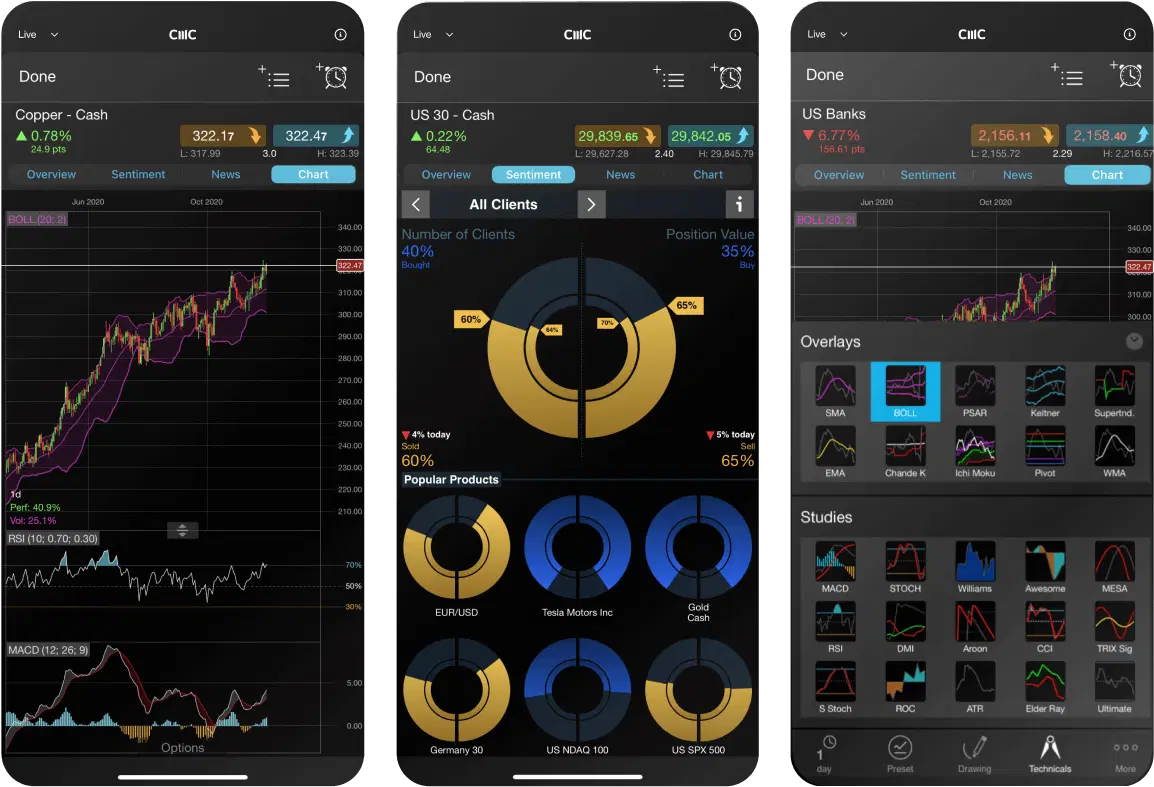
Order types and execution
Our proprietary web platform provides ultra-fast, 100% automated execution¹, complemented by multiple order types for flexibility on how you enter trades, giving you more control over your risk management.


Pips FX minimum spread²
Maximum retail leverage
Micro lot trading*
Financial instruments³
Dedicated customer support
*Trade one-hundredth the size of a standard lot
Multiple order types
Our range of order types allow flexible order placement, while our risk-management tools are customisable and easy to use. You can set default stop-loss and take-profit orders to manage your risk on every trade. It's important to be aware that most stop-order types – except guaranteed stop-loss orders (GSLOs) – are susceptible to the possibility of market slippage and gapping.
For a premium, our GSLOs give you 100% certainty that your stop-loss will be executed at the exact price you want, regardless of market volatility or gapping. We refund the premium if the GSLO is not triggered.
Use market orders to open or close trades at the current market price. Our automated execution means market orders get filled at the next available price.
Limit orders and stop-entry orders are used to trigger a trade execution at a specific price above or below the current market price, and within a set time period.
It's possible to close only a portion of existing trades. For example, if you have four CFD trades of 2 units each on the UK 100, you can choose to close out one part (2 units), leaving the other three trades in place.
Stop-loss orders allow you to specify a price at which a position will be closed out by the platform, if the market moves against you.
A trailing stop-loss will follow a price as it moves favourably for you, remaining at the distance specified when the order was placed.
Take profit orders are used to set a predetermined target level at which you would like the platform to close a trade and secure the profit from that trade.
Advanced order features
The platform includes a range of advanced order features that facilitate control, flexibility and customisation on your orders and trade execution.
Open, close and amend orders directly from charts and view levels against historical price action. Once a position has been opened, select the triangular trade entry icon on the chart and drag stop-loss and take-profit levels to change them.
One-click trading allows you to place trades immediately by choosing any streaming buy or sell price. Your usual default risk management and order settings will be applied automatically.
Control slippage in volatile markets by specifying a boundary price range in the order ticket. If the price at execution is outside this range, then the order will be rejected. Available on market and stop-entry orders.
Our price ladder displays prices for trades that are larger than what's available at the first bid and offer price. It lets you enter trades which you otherwise wouldn't be able to enter, with just one order, but with a wider spread.
Our automated trade execution ensures that positions up to our maximum trade size will always be executed through price ladder trading.
With account netting disabled (via 'Account Settings'), it's possible to place long and short trades on the same product at the same time.
If a trade is in profit, you can use this unrealised profit to open new trades, thus taking advantage of other opportunities without having to close profitable trades.
Set default order preferences for all, or specific instruments. You can turn off pre-order confirmations and set last trade size, stop-loss and take-profit orders as default.
When you manually roll a forward to the next contract, you enter the new trade at the mid-price and save 50% on the spread cost. You can also set forward settlement behaviour to automatically roll over, so the rule is applied to all your forward positions.
Execution alerts
Set up alerts to notify you when important price levels are breached, or when your pending orders are triggered. Receive platform pop-ups and set alerts to be emailed, sent by SMS, or pushed to your mobile device.
Get trade execution alerts, including mobile push notifications, when pending orders (such as stop-entry, limit, stop-loss or take-profit orders) are executed in your account.
To complement execution alerts, we also offer price alerts. These enable you to receive notifications when the price of an instrument that you're interested in reaches a significant level you've specified, such as a major support or resistance level.
What are other traders saying about CMC Markets?
Account close-out
You can choose your preferred account close-out method⁵ in the platform to automatically close out your trades if your account revaluation amount (cash + net unrealised profit/loss) falls below your close-out level. Change your close-out method from the account settings menu on the platform.
This is the default setting, where all trades on your account are closed out.⁶
This option will start by closing your most recent trade first, or a portion of it. Then the next most recent trade will be reduced or closed if necessary, and so on.
This option will start by closing the position showing the largest unrealised loss first, or portions of it, on a first in, first out basis.
This option will first close the position with the largest position margin, or portions of it, on a first in, first out basis.
FAQs
A stop-loss order is a market order that helps you manage risk by closing your trade at a pre-determined level. It's a risk-management tool that you can attach to your order ticket to help to minimise any loss on your trade.
We offer a regular stop-loss order, plus a trailing stop-loss order and a guaranteed stop-loss order. Find out more about these risk-management order types in our FAQs below.
A market order is a buy or sell order for a financial instrument at the current prevailing price level. It's well suited to high-volume trades in particular, as it's considered to be the fastest type of order. A trader will place a market order to pay the immediate bid or ask price.
A trade order is a type of order that is placed to open a trade, involving the buying or selling of an instrument at a certain price. The most common trade orders include market orders, limit orders and stop-loss orders.
CMC Markets has 15 global offices, including in the UK, Australia, Germany, Canada, New Zealand, Singapore and Bermuda. CMC Markets' entities are licensed and regulated by the local authorities, for example, CMC Markets Bermuda is licensed to conduct investment business and digital asset business by the Bermuda Monetary Authority (‘BMA’).
As a CMC Markets' client, your money is held separately from CMC Markets' own funds. It is held in segregated client bank accounts distributed across a range of major banks, which are regularly assessed against our risk criteria. Under the BMA rules, retail clients must be provided with negative balance protection. This means that your maximum loss is the amount you have deposited with us.
If you're trading on MT4 or MT5, select the instrument you wish to trade ('double-click' on your PC), and a new order window will appear. Enter your desired volume (in lots), add any risk-management orders such as a stop-loss or take-profit order. Then place a market order in the direction you wish to trade; buy to go long, or sell to go short. There are several ways to place trades or orders using MT4 or MT5 – you can learn more about MT4 or MT5 functionality by navigating to Help > Help topics or Help > Video guides.
If you’re trading on our Next Generation platform, search for your desired instrument from the 'Product Library'. Select your chosen instrument ('right-click' on your PC), and select ‘Order Ticket’. In the order ticket box, choose your order type (from Market, Limit, and Stop-Entry Order), and then enter your desired volume in units or amount (this can be configured from the ‘Settings’ menu in the main navigation). Add stop-loss and take-profit levels to minimise your risk, and choose to ‘BUY’ or ‘SELL’, depending on whether you want to go long or short. When you’re ready, select ‘Place Buy Market Order’, or ‘Place Sell Market Order’.
For retail clients, the maximum leverage you can currently trade with is 200:1 (or 0.5% margin) with our CFD trading and FX Active accounts.
TradingView is a trading research platform where you can view charts, analyse trends and interact with an online community. You can connect your TradingView account to your CMC Markets account, enabling you to open, manage and close trades within TradingView. Learn more about TradingView here.
MetaQuotes' MetaTrader 4 and MetaTrader 5 are globally popular forex and CFD trading platforms. TradingView is a trading and charting platform which you can link to your broker account to place trades. Our proprietary web-based platform is feature-rich and enables access to trade CFDs on 12,000 instruments.
With each platform you can choose from our CFD trading or FX Active accounts. Our FX Active account offers spreads from 0.0 pips on six major FX pairs, with a 25% spread discount on all other pairs. There is a fixed, low commission at $2.50 per $100,000 notional value traded.
Our trading platform doesn’t require any downloads, while MT4 and MT5 requires downloading to fully utilise its features, such as algorithmic trading (through Expert Advisors) and social trading available via the MQL4 and MQL5 communities.
The MetaTrader platforms offer hedging positions by default, while CMC’s trading platform offers netted positions by default.
Yes, you can open an opposite, related, or alternative trade, with no interruption for traders using Expert Advisors.
Log in to your MT4 or MT5 client portal or our trading platform and follow the instructions in the funding section.
You can reset your password by selecting 'Forgot password?' on the login page. We'll then send instructions for changing your password to the email address you use to log in to your account.
Our aim is to provide a high level of service to all our clients, all of the time. We value all feedback and use it to enhance our products and services. We appreciate that from time to time things can go wrong, or there can be misunderstandings. We are committed to dealing with queries and complaints positively and sympathetically. Where we are at fault, we aim to put things right at the earliest opportunity. You can find our complaint handling procedure here or contact us at global@cmcmarkets.com to begin your account query. Please note that all queries and complaints will be handled in English.


Ready to get started?
If you already have an account, log in to your chosen platform.
Don't have one yet? Open an account now.
Do you have any questions?
Email us at3If at account close-out you have an open position in a product that is greater than the maximum CFD margin trade size in that product, then the account close-out will be performed on a 'last in, first out' basis, irrespective of which account close-out method has been selected.
4Each of the account close-out methodologies is applied to the CMC products that are within their applicable trading hours and where trading is not otherwise suspended. After any initial account close-out, as and when the trading hours for any remaining positions on your account recommence and/or remaining positions on your account cease to be suspended, one or more subsequent account close-outs may be carried out. Trades relating to the same CMC product may be aggregated by our platform during an account close-out, in which case each relevant trade will be closed at the relevant sell price or buy price on the price ladder, applicable to a market order for the aggregated number of units. Each initial alternative close-out or subsequent alternative close-out will attempt to increase your account revaluation amount above the reset level. (The reset level is a percentage of your total margin displayed on the platform at any given time.) If following the completion of any initial alternative close-out or subsequent alternative close-out your account revaluation amount increases above the close-out level, then the alternative account close-out will stop.